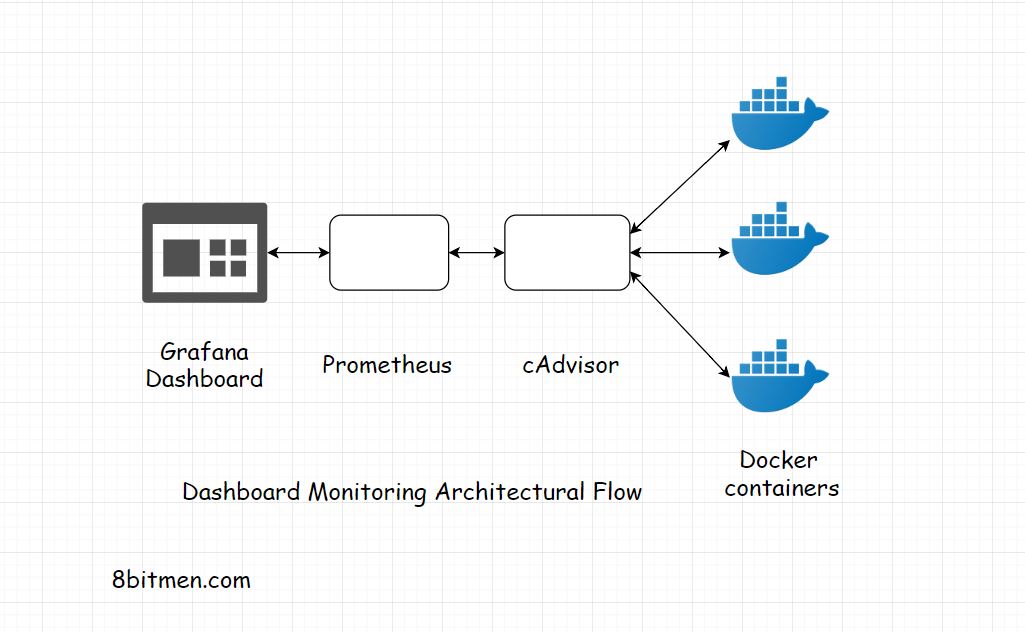
cAdvisor (Container Advisor) Access
Hi.
I hate typing shit, but this is funny. this is my instant share-experience blogs and stuff. I want toalk about cAdvisor, it is actually something I did not know about. recently have been trying to level up my recon game. to do that, i started by just trying to understand fuzzing. wtf, i love fuzzing; infact, some of the dumps i have got came through fuzzing.
part 1:
I was studying and after studying i got bored and started poking my university system. i started by listing or enumerating subdomains
what i did was simple
subfaster -d uni.com -all -o uni.txt then after that i did cat uni.txt | puredns resolve | tee pure_uni.txti just run reolver shenanigan to see which subdomains that will actually resolve. then i continued with poort scanning with naabu
shit what a great tool lol. what i did is that, i took those resolved subdomains and i just run them to find which port actually they are listening on.
cat pure_uni.txt | naabu -top-ports 1000 | tee naabu_uni.txt , from here i also got alerted with some ip addresses but those ip addresses had correspoding ports those ports also had subdomains that are runing on themoh shit, i like this; i took one ip address ** IP: x.x.x.x:port** then i added a port at the end.
i got excited and openened the shenanigan ip and port in the web and got shocked by what i got.
this is what i got;
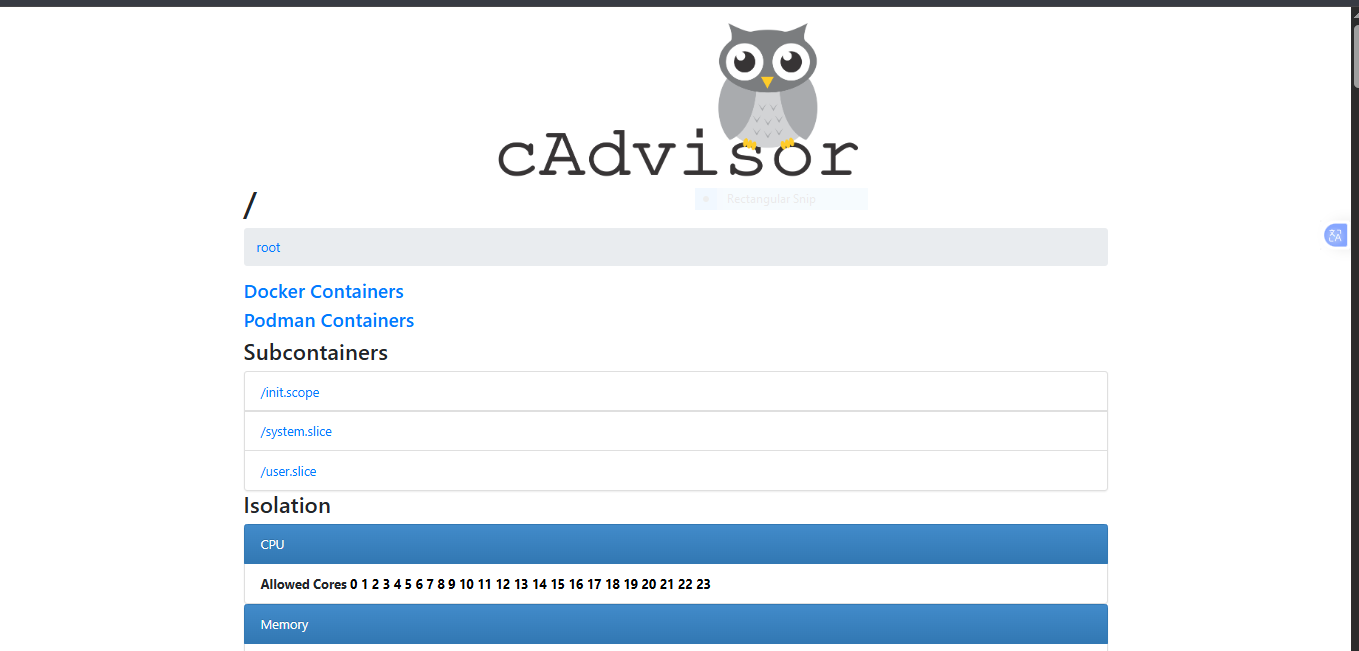
Oh shit, i have root on monitoring component (cAdvisor), but what is actully a c advisor? let me explain bellow; So, cAdvisor, or Container Advisor, is basically a monitoring component that sits alongside the Docker environment and keeps track of what is happening inside the containers. You can think of it as a monitoring layer rather than something that actually runs the applications.
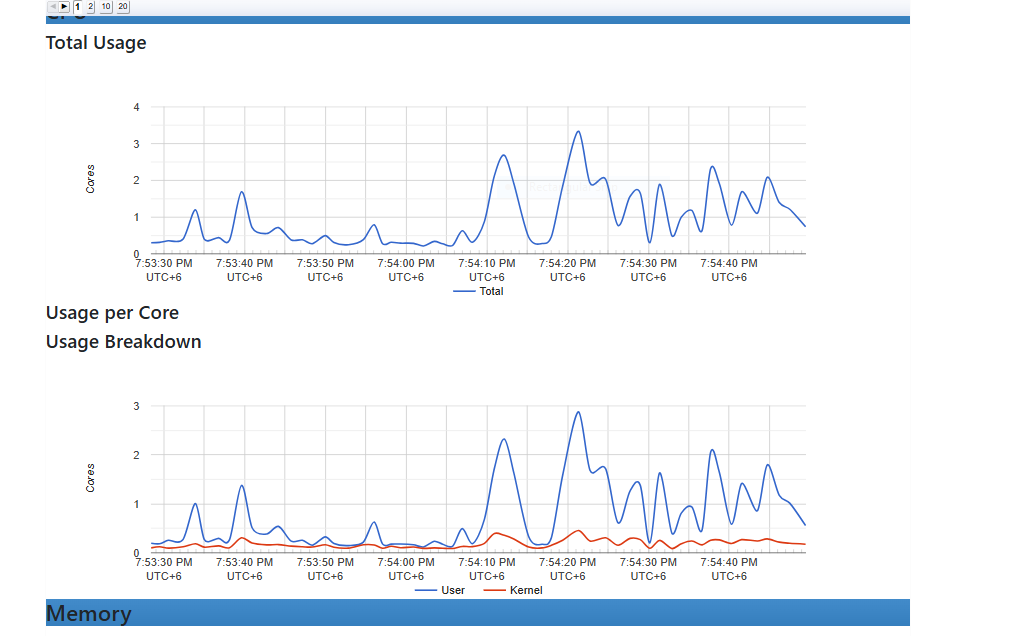
in this image you can see the cpu usage, and many other stuffs as well; cAdvisor can observe how much CPU, memory, network, and filesystem resources those containers are using, as well as information about their processes and container IDs.
bellow i will also show you file hierarchy and how much space they consume on the disc as well;
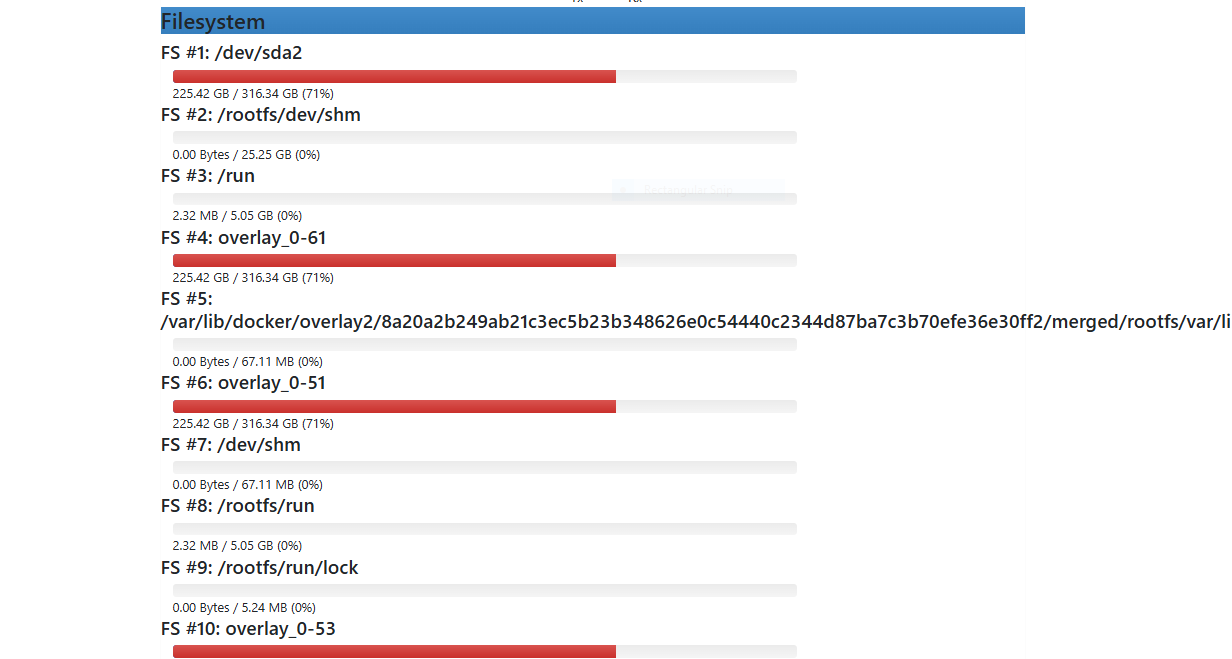
for the files it is pritty interesting to see how the file systems are arranged according to linux partitioning system. it shows all partintions approaches like sda, dev and all.
now i will show you the processes;
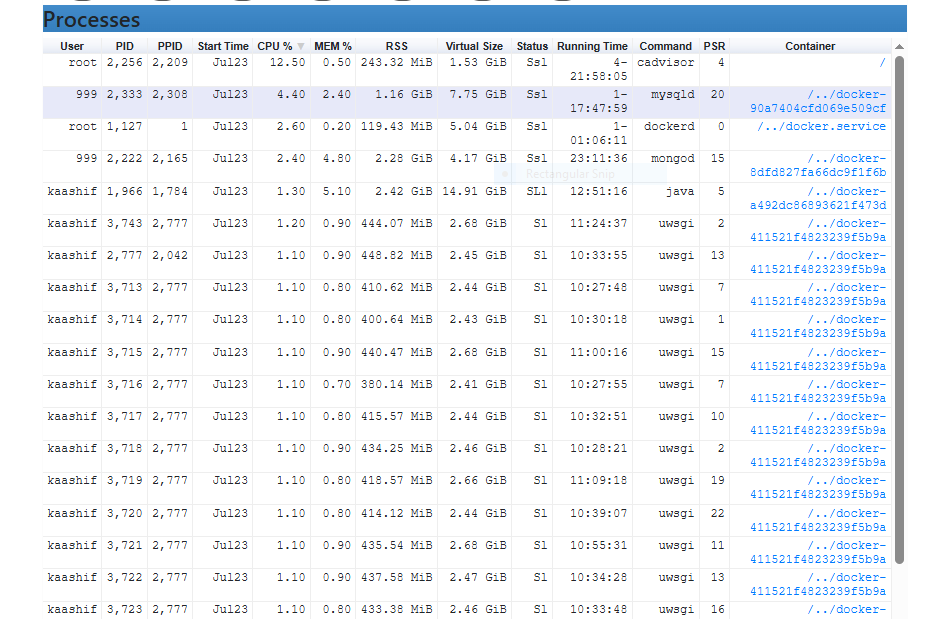
cAdvisor can provide visibility into processes running inside the containers and on the underlying host. This can include process names, CPU and memory usage, process IDs, and which container or cgroup they belong to. This makes it possible to understand what applications and services are actually running, rather than only seeing that a container exists.
and finally also i will show you the system.slice subcontainers;
Under /system.slice, cAdvisor exposes a list of system services and Docker container scopes running on the host. These include services such as docker.service, containerd.service, nginx.service, ssh.service, and prometheus-nginx-exporter.service, along with multiple entries named docker-<container-ID>.scope. These Docker scopes represent individual containers and allow cAdvisor to show information about their resource usage and processes. This gives a user a fairly detailed view of the host's running services and container structure without needing direct access to the server itself
Part 2:
Dawg, I am tired of typing; i thought it was cool and badass to share this with you lol. and i will keep droping some instant stuffs more.
Writen by; Researcher: Thierry